Coming soon to the Google Play Store
Help Test OwnMiles
OwnMiles is currently in closed testing on Google Play, and I’m looking for Android users willing to help test it before release.
Beta testers receive the app free during testing. I’m especially looking for people who regularly drive for work, deliveries, rideshare, business, or reimbursement, but anyone willing to test automatic and manual trip tracking is welcome.
Your mileage and location data stay on your device. OwnMiles has no internet permission and does not send your trip history to Mantis Moon Labs.
Interested in helping? Join the OwnMiles beta.
Private Mileage Tracking Without Giving Up Your Privacy
OwnMiles is a mileage tracker built around a simple idea: your travel history belongs to you.
Unlike many mileage tracking apps, OwnMiles does not request Android’s internet permission. That means the app has no direct internet access and cannot secretly send your trips, locations, mileage records, or other app data to us or anyone else behind the scenes.
Your mileage data stays on your device unless you choose to export, back up, or share it yourself.
No account. No subscription. Pay once, own it for life. No trackers. No internet permission.
Try OwnMiles Risk Free for 7 Days
Mileage tracking can behave differently depending on your phone, vehicle, driving habits, GPS conditions, and Android battery settings.
That is why OwnMiles comes with a 7-day money-back guarantee.
Try it during your normal driving. If OwnMiles is not going to work for you, request a full refund.
Track Trips Manually or Automatically
OwnMiles gives you control over how your mileage is recorded.
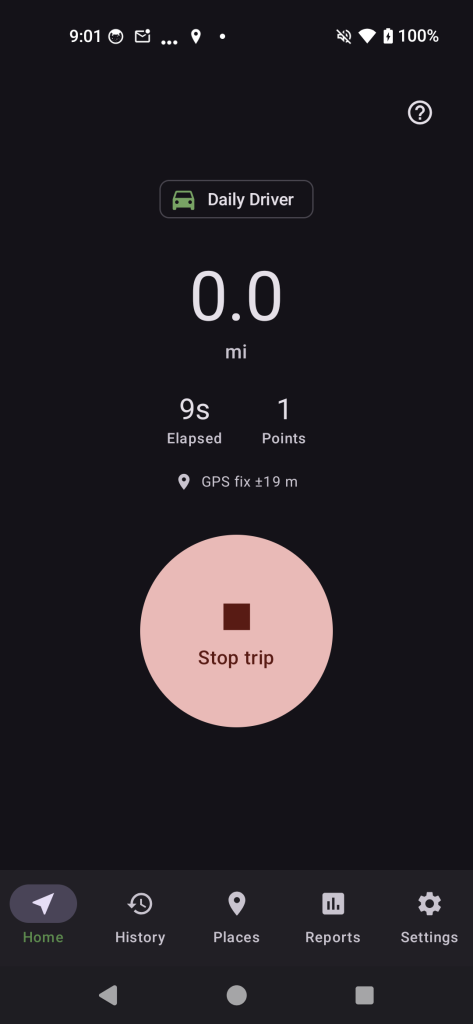
For important trips, you can start and stop recording manually so you know exactly when tracking begins.
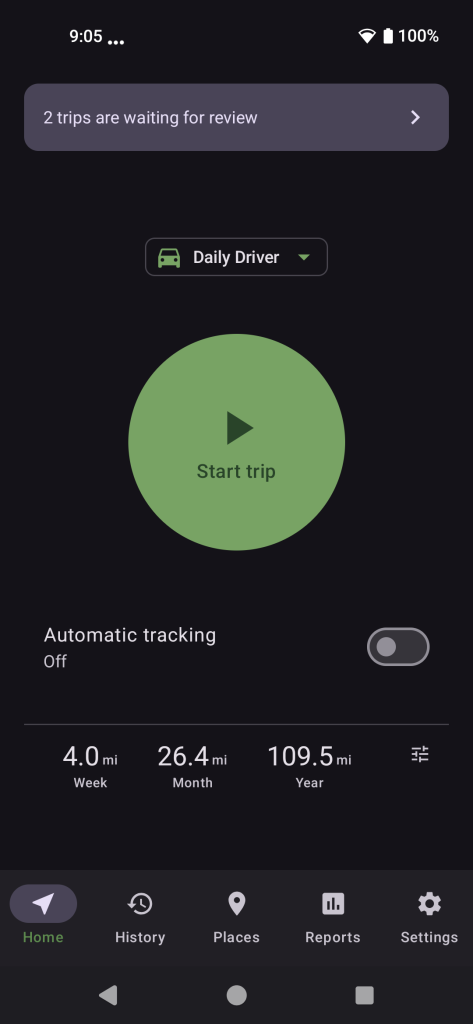
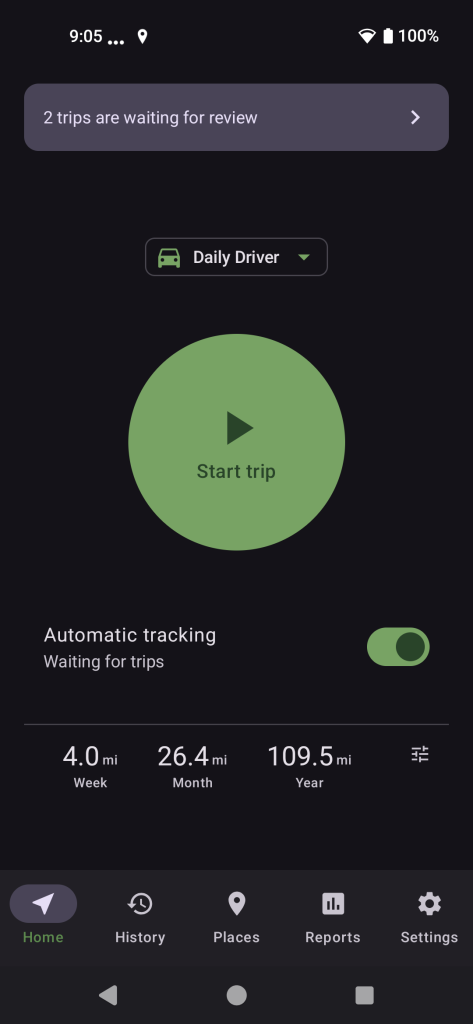
If you prefer a more hands-off approach, automatic tracking can watch for signs that you have started driving and begin recording for you.
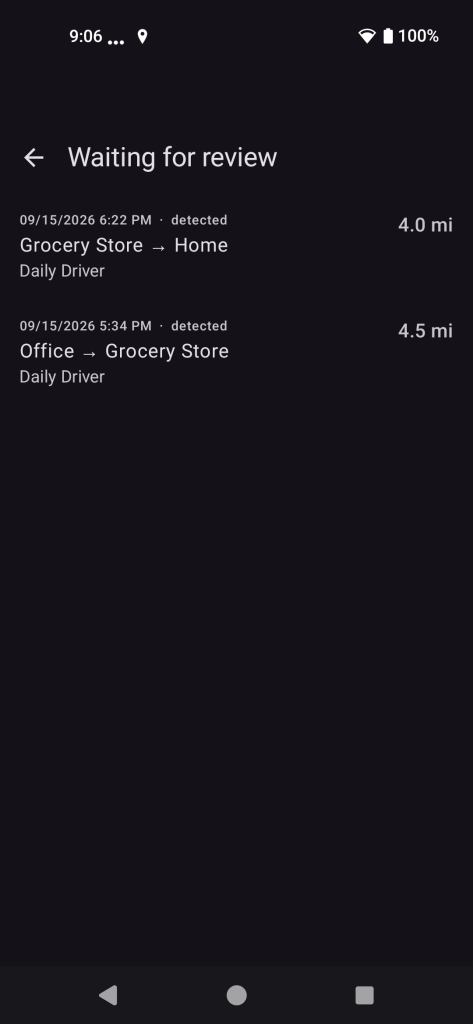
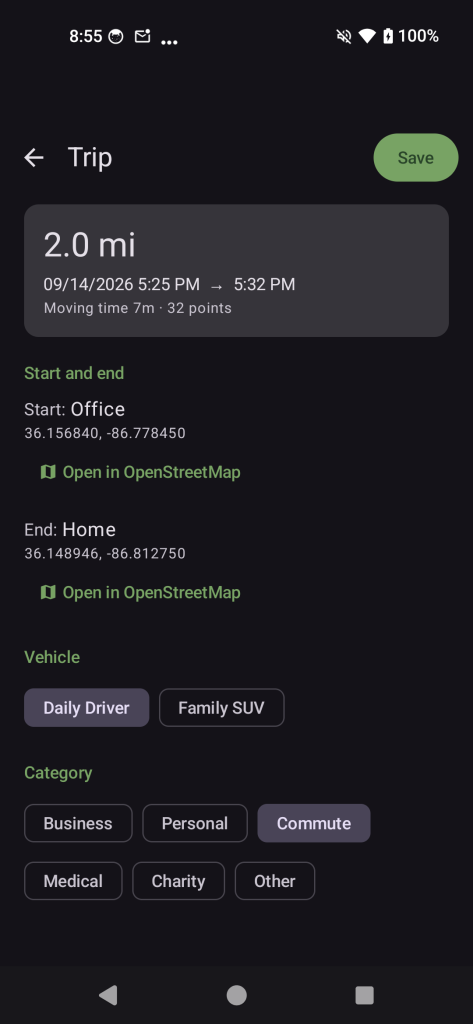
Automatically detected trips are not silently added to your permanent history. They are placed in a review queue first, giving you a chance to check the trip before saving it.
You can review:
• Route and distance
• Vehicle
• Category
• Purpose or notes
• Odometer readings, if you use them
Trips you do not want can be discarded along with their recorded route data.
Your Mileage History Stays Under Your Control
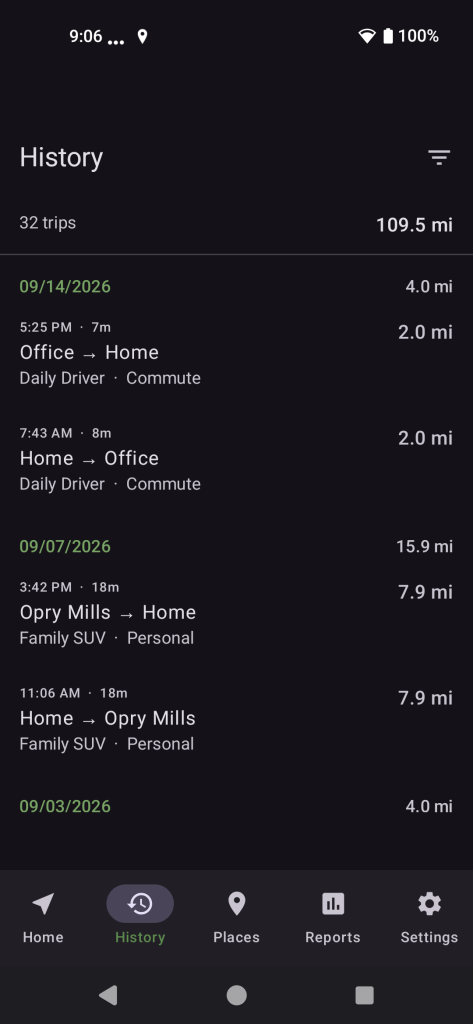
OwnMiles keeps your saved trips locally on your device.
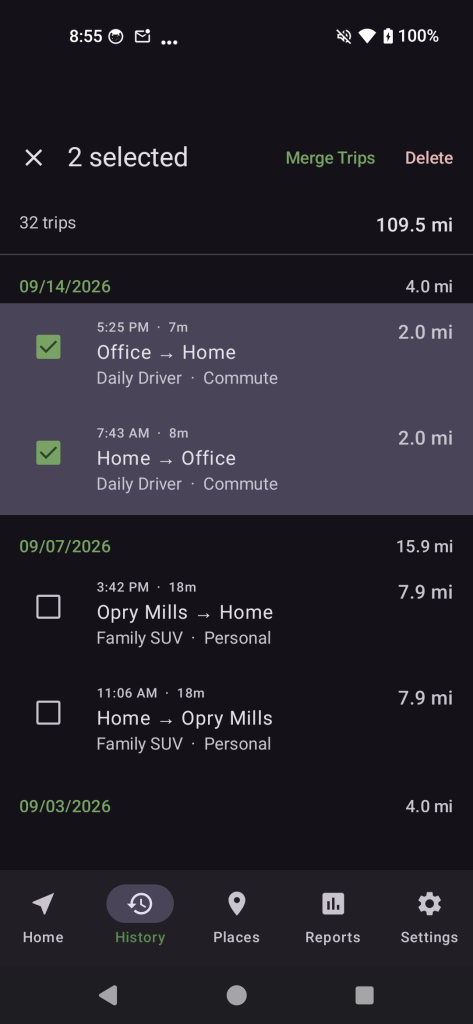
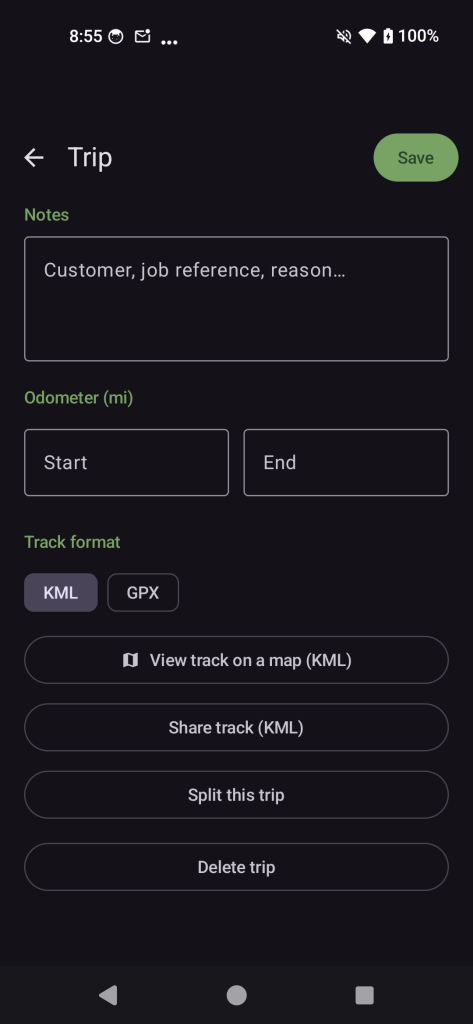
You can:
• View and filter your trip history
• Edit saved trips
• Categorize business and personal driving
• Add notes and trip purposes
• Track multiple vehicles
• Record optional odometer readings
• Join related trips together
• Split trips at recorded stops
• Delete trips you no longer need
OwnMiles is designed to give you useful mileage records without creating another online account that holds a copy of where you have been.
Great for Gig Economy Drivers
Drive for Uber, DoorDash, Instacart, or another rideshare or delivery service?
OwnMiles gives you an independent mileage log that stays under your control.
Track work trips, categorize your driving, add notes, and maintain records for your own bookkeeping without handing your complete travel history to another online service.
Whether you drive occasionally or depend on gig work every week, OwnMiles helps keep your mileage records organized and private.
Saved Places Make Your History Easier to Read
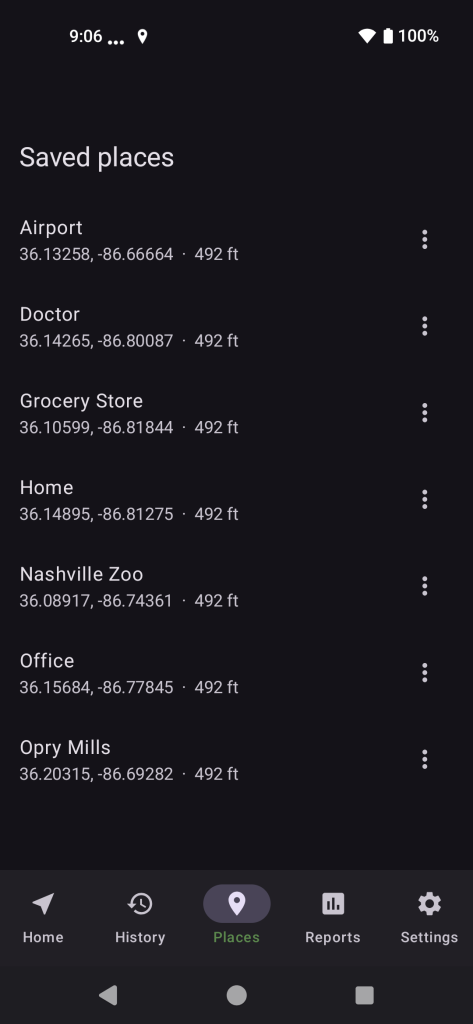
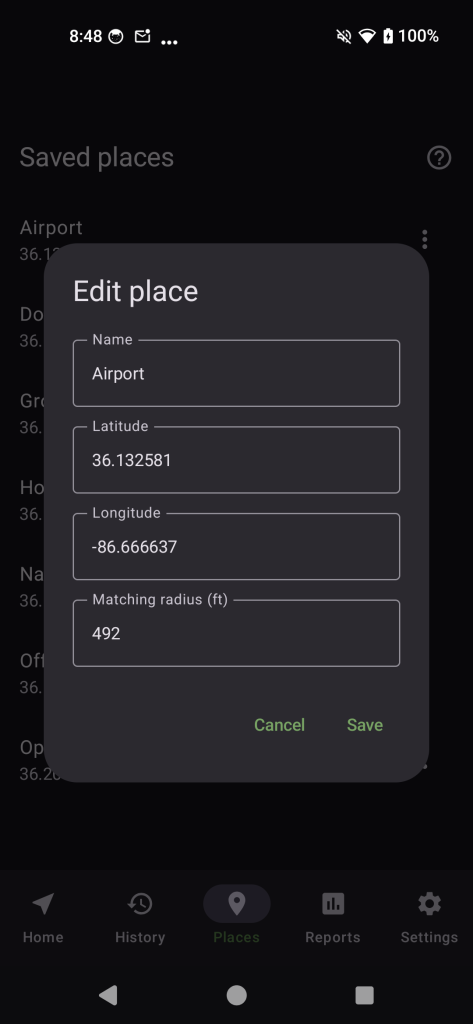
Save frequently visited locations such as Home, Work, a client location, warehouse, store, or other destination.
Instead of seeing only GPS coordinates, OwnMiles can show the familiar name you assigned to that location.
Each saved place has an adjustable matching radius, helping you control how nearby trip endpoints are identified.
Saved places do not change your recorded mileage. They simply make your trip history easier to understand.
Reports When You Need Them
OwnMiles can generate mileage reports for your own records, reimbursements, bookkeeping, or tax preparation.
Choose the dates, vehicles, and categories you want to include. Exports options include:
- PDF mileage reports
- CSV spreadsheet files
- Database exports
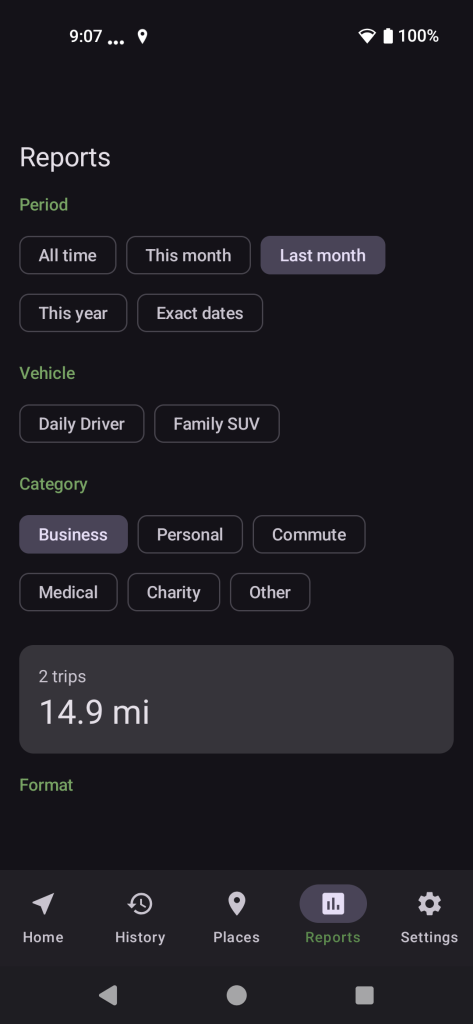
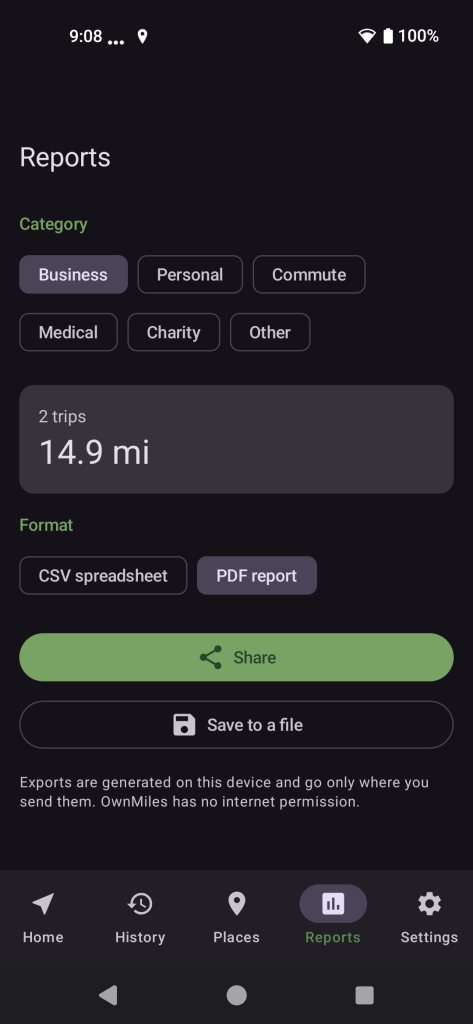
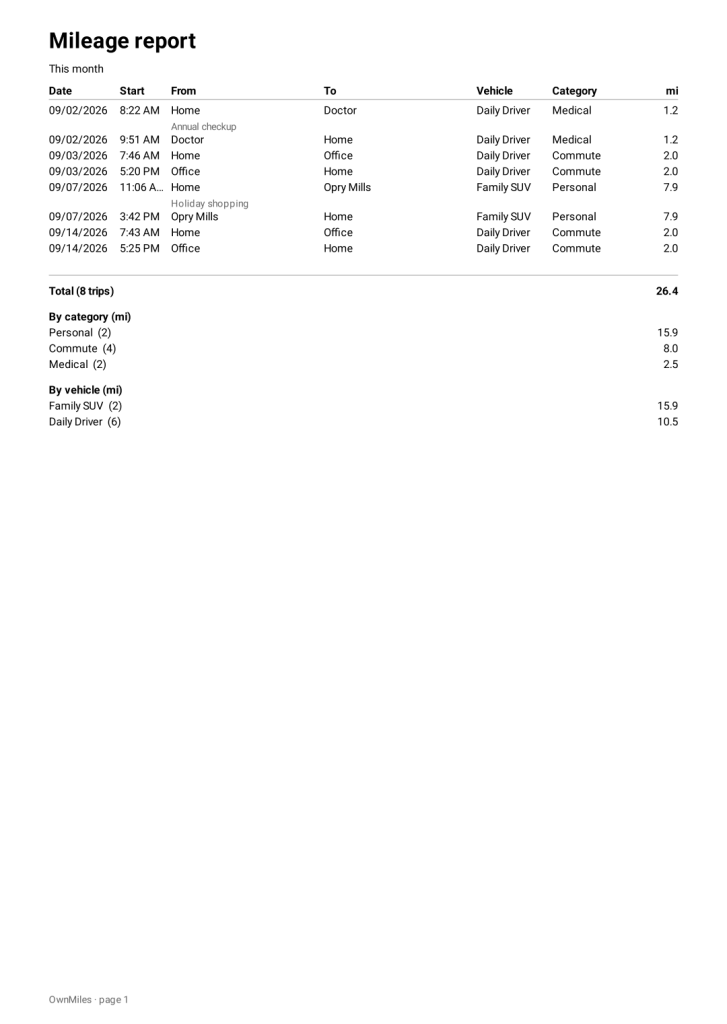
Recorded routes can also be shared as KML or GPX files for use with compatible mapping software.
OwnMiles does not upload these files automatically. You choose when to create them and where they go.
Back Up Your Data Your Way
Your data should not be trapped inside the app.
OwnMiles can create a backup containing your app data so you can protect your records before changing phones, resetting a device, or making major changes to your trip history.
You decide where that backup is stored.
Save it locally or use Android’s standard sharing and storage tools to send it to a destination you control, such as Dropbox, Nextcloud, Google Drive, another storage provider, or your own file server.
There is no OwnMiles cloud service.
Designed for Privacy From the Beginning
Mileage data can reveal a surprising amount about your life.
It can show where you live, where you work, when you leave home, which businesses you visit, and places you return to regularly.
That is why privacy is not an optional setting in OwnMiles. It is part of the app’s design.
OwnMiles does not use:
• User accounts
• Advertising trackers
• Analytics services
• Cloud sync
• Google Play Services
• Internet permission
Many apps ask you to trust that they will not misuse your information.
OwnMiles takes a different approach.
Without Android’s internet permission, OwnMiles cannot secretly transmit your trip history over the internet in the first place.
Privacy should not require blind trust.
You Decide When Data Leaves Your Phone
OwnMiles can still work with services you choose.
If you want to save a report to Google Drive, put a backup in Dropbox or Nextcloud, send a PDF to your accountant, or copy your data to your own server, Android’s normal sharing and file tools let you do that.
The important difference is that you initiate the transfer and choose the destination.
OwnMiles does not create a separate online account or upload your mileage history to a cloud service outside your control.
Built for Real-World Android Devices
OwnMiles supports both manual and automatic tracking.
Manual tracking requires location access while recording.
Automatic trip detection requires background location access so Android can allow OwnMiles to notice when you begin driving, even when the app is not open.
OwnMiles also uses notifications to show when trip tracking is active, when automatic tracking is waiting for a drive, and when a detected trip is ready for review.
For a trip you absolutely cannot afford to miss, manual tracking remains the most dependable option.
Own Your Data. Own Your Trips. Own Your Miles.
OwnMiles gives you the mileage tracking features you need without requiring you to hand your location history to another online service.
No account.
No subscription.
Pay once, own it for life
No cloud service you do not control.
No trackers.
No internet permission.
Own your data. Own your trips. Own your miles.