Everything You Need to Track Your Miles
Automatic tracking, organized trip history, and useful mileage reports. All on your Android device.
OwnMiles makes it easy to record, review, and manage your mileage without an internet connection, online account, or monthly subscription.
Whether you’re tracking business travel, delivery driving, or personal trips, OwnMiles gives you the tools to maintain your own mileage records.
Track Trips Automatically or Manually
Different drives call for different approaches. OwnMiles supports both.
Automatic Mileage Tracking
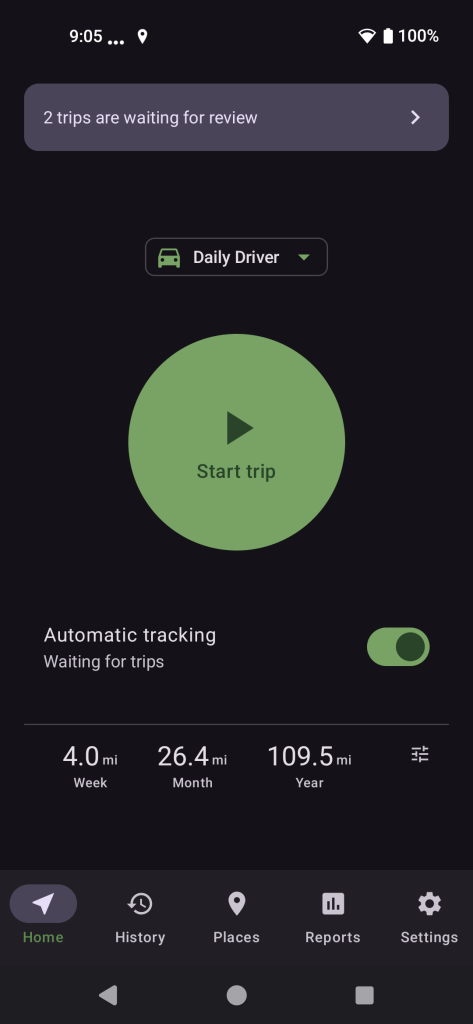
Enable automatic tracking and let OwnMiles watch for signs that you’ve started driving.
When a drive is detected, OwnMiles can begin recording your route and distance without requiring you to open the app and press Start every time.
Automatically detected trips are placed in a review queue, so you can decide what belongs in your permanent history.
Automatic tracking requires Android background location permission, and detection may vary depending on your phone, battery settings, and GPS conditions.
Manual Mileage Tracking
Prefer more direct control?
Start recording when your trip begins and stop when you’ve reached your destination.
Manual tracking is especially useful for important business trips or drives you don’t want to depend on automatic detection to capture.
Your mileage. Your choice of how to track it.
Review Trips Before You Save Them
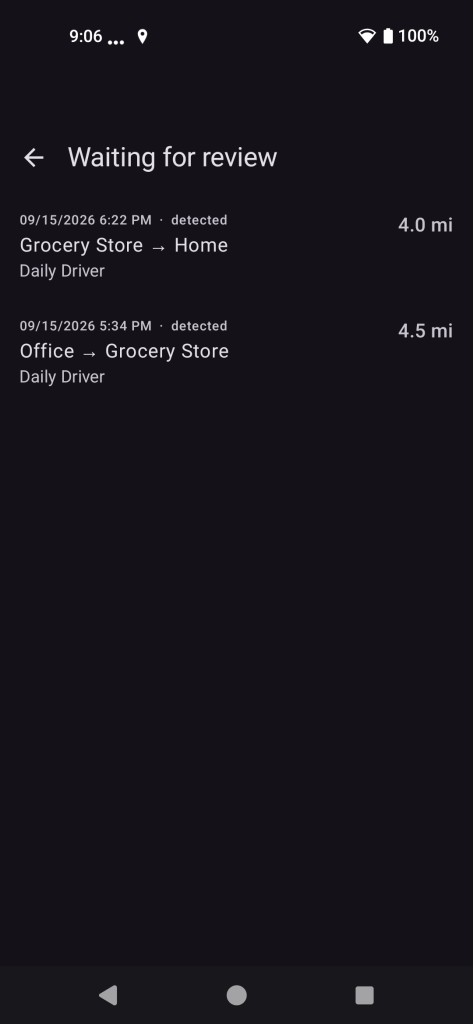
Not every drive needs to become part of your permanent mileage history.
OwnMiles places automatically detected trips in a review queue, giving you a chance to check the details before accepting them.
During review, you can inspect and adjust information such as:
- Recorded route and distance
- Vehicle
- Trip category
- Purpose and notes
- Optional odometer readings
Save the trips you want to keep and discard the ones you don’t. Discarded trips and their recorded route data are removed from the review queue.
You’re in control of what becomes part of your mileage history.
Keep Your Mileage History Organized
A useful mileage tracker should do more than accumulate a list of drives.
OwnMiles lets you manage your saved trips so your history remains meaningful over time.
View, Edit, and Categorize
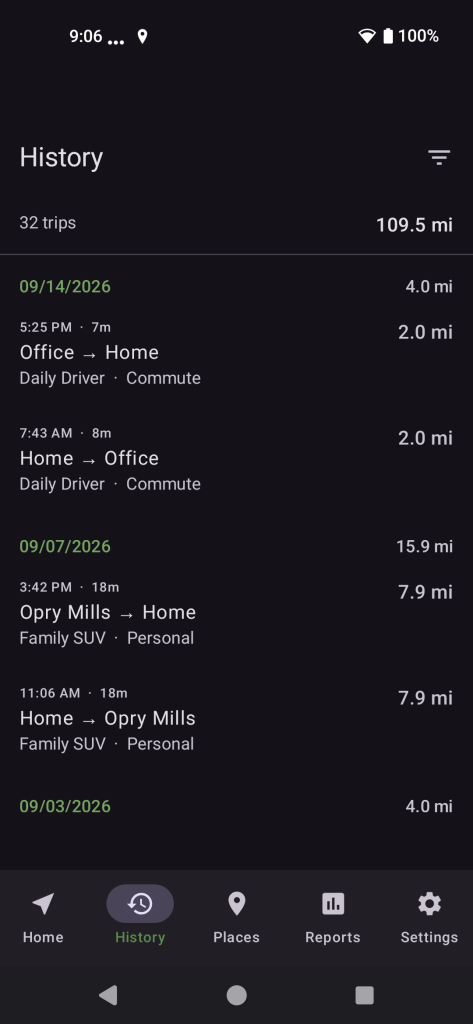
Browse and filter your mileage history to find the trips you need.
Edit trip details, assign categories for business or personal driving, and add notes explaining why a trip was made.
You can also record odometer readings when needed.
Join and Split Trips
Sometimes a single journey ends up recorded as multiple trips. Other times, a longer drive includes several stops that should be recorded separately.
OwnMiles provides tools to:
- Join related trips into a single mileage record.
- Split trips at recorded stops when you need separate entries.
- Delete unwanted trips from your history.
Track Multiple Vehicles
OwnMiles supports multiple vehicles, allowing you to associate mileage records with the vehicle you drove.
When generating reports, you can select the vehicles you want to include.
Give Familiar Names to Your Destinations
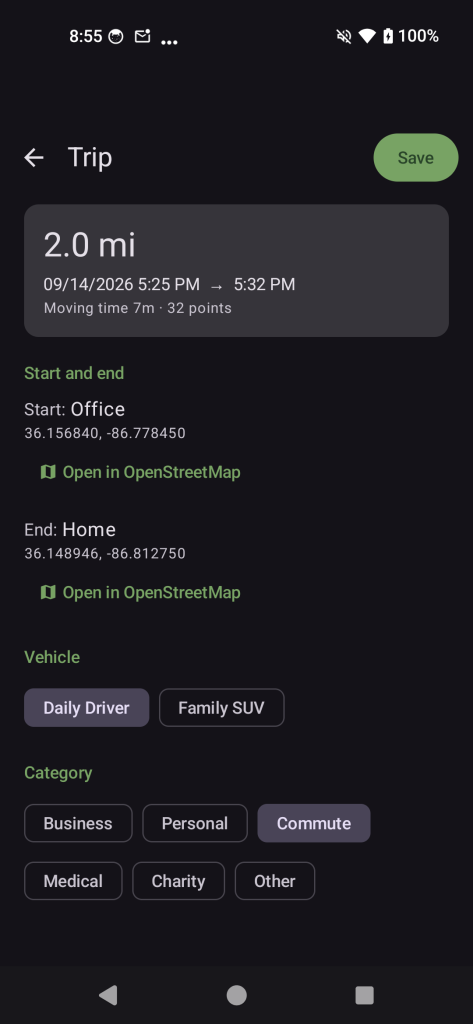
GPS coordinates are useful for recording locations, but they’re not always useful when reading your trip history.
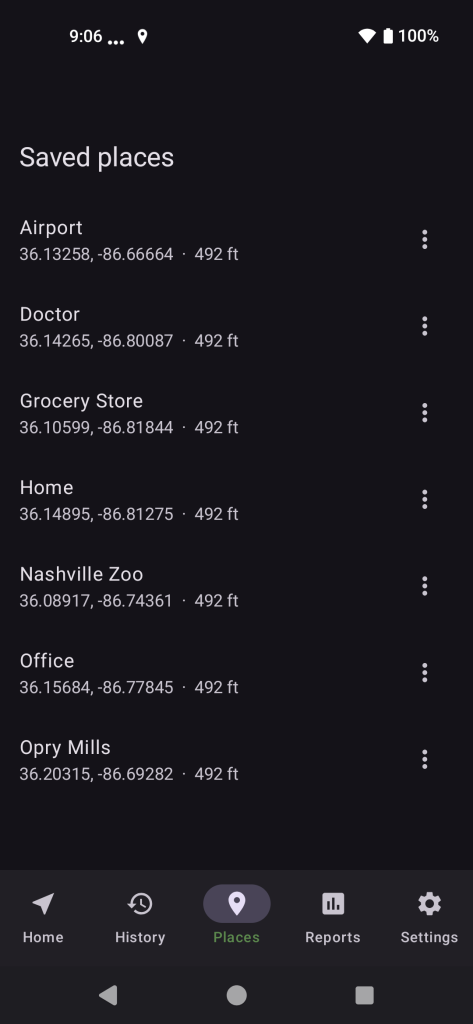
OwnMiles lets you create saved places with recognizable names, such as:
- Home or Work
- Customer or client locations
- Warehouses and distribution centers
- Frequently visited stores
- Other destinations you visit regularly
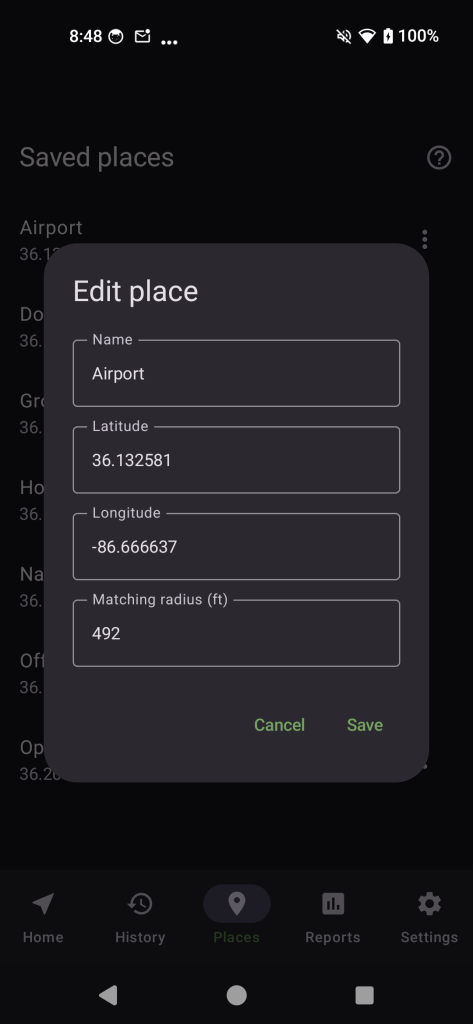
Each saved place has an adjustable matching radius, so you can control how nearby trip endpoints are recognized.
Instead of relying on a list of latitude and longitude coordinates, you can see names that make sense to you.
Saved places don’t alter your recorded mileage. They simply make your records easier to read and organize.
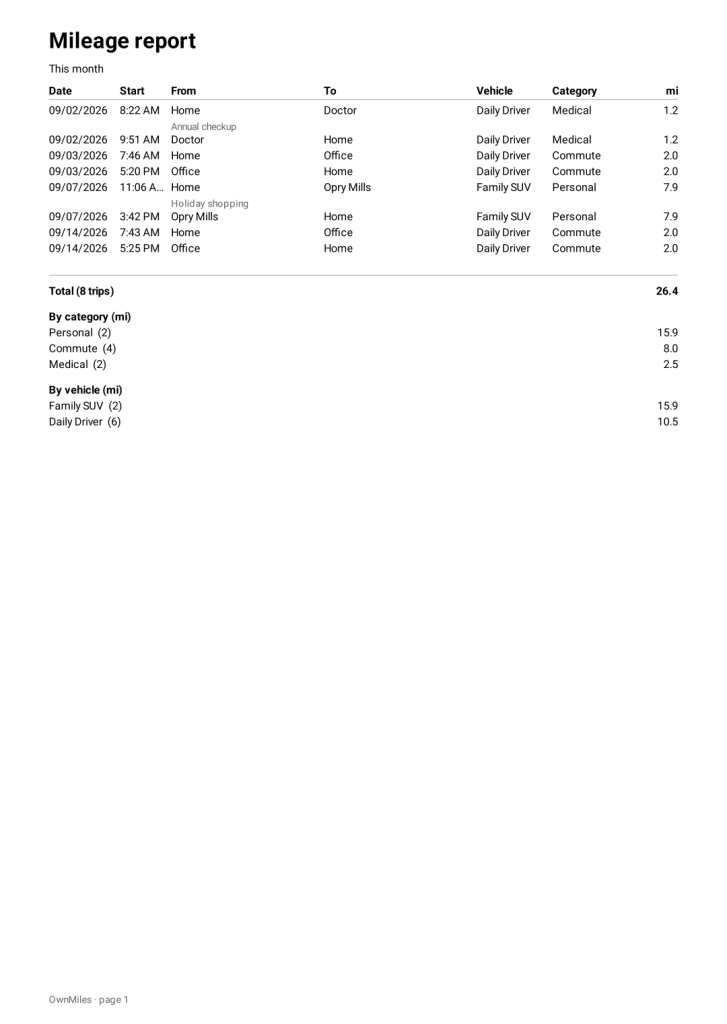
Generate Mileage Reports When You Need Them
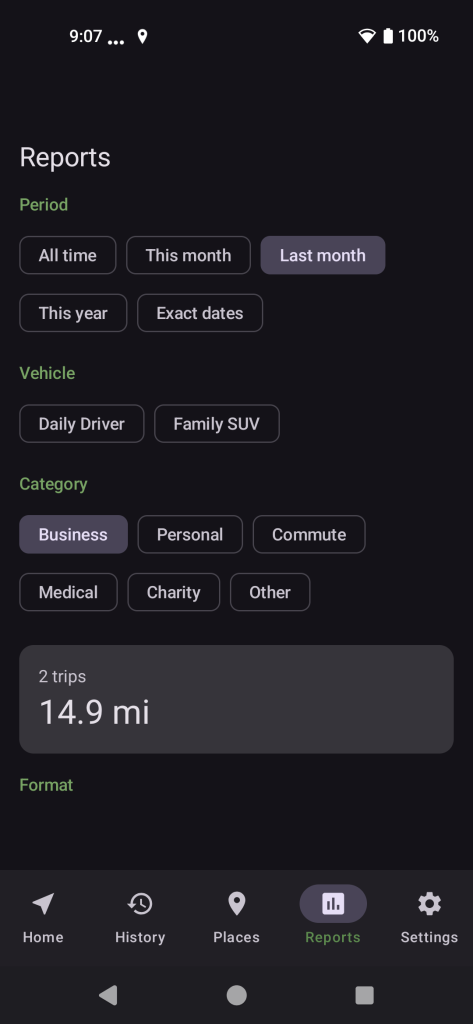
Whether you’re organizing business expenses, requesting reimbursement, or preparing records for tax time, OwnMiles makes it easy to turn your saved trips into useful reports.
Choose the date range, vehicles, and categories you want to include.
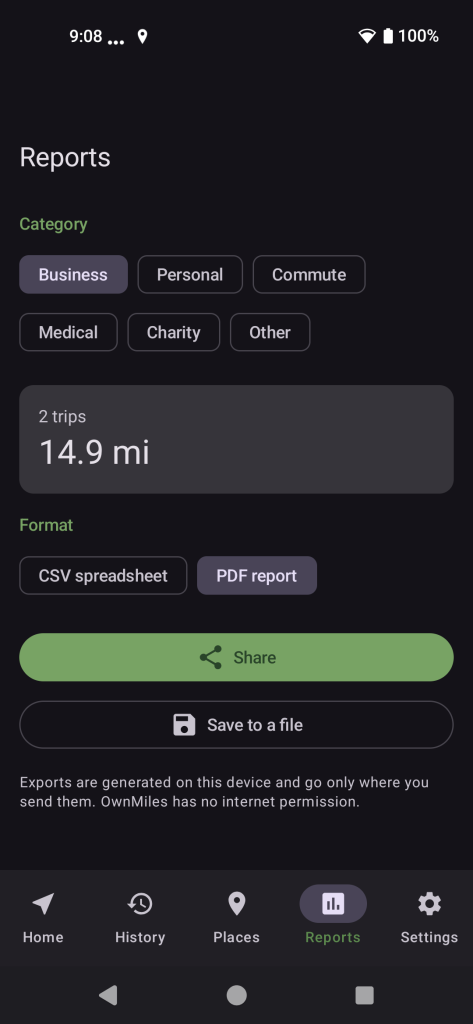
PDF Mileage Reports
Create readable reports you can save, print, or provide to your accountant or employer.
CSV Spreadsheet Exports
Export mileage data for use with Excel, LibreOffice, Google Sheets, or other spreadsheet applications.
CSV files give you the flexibility to review, sort, and work with your records outside the app.
GPX and KML Route Exports
Need to inspect or preserve a recorded route?
OwnMiles can export routes in GPX and KML formats for use with compatible mapping applications.
No account or online service is required to generate your reports.
Back Up Your Data Your Way
Your mileage history is important. OwnMiles gives you a way to preserve it.
Create a database backup before replacing your phone, resetting your device, or making significant changes to your records.
You choose where the backup is stored.
Save it locally, copy it to your computer, or use Android’s built-in file tools to save it to a service you trust, such as Nextcloud, Google Drive, or Dropbox.
OwnMiles doesn’t require a proprietary cloud account or automatically upload your database.
Your records shouldn’t be trapped inside the app.
Built for Real-World Android Devices
OwnMiles is designed to work with Android’s location and background tracking capabilities.
The app can use notifications to keep you informed when tracking is active, automatic detection is waiting for a drive, or a trip is ready for review.
Because Android devices handle background activity and battery optimization differently, automatic trip detection can vary between phones.
For especially important trips, manual recording gives you more direct control.
We want you to know what to expect, which is why OwnMiles includes a 7-day money-back guarantee so you can test the app during your normal driving.
Privacy Is Built In, Not Bolted On
OwnMiles is designed to work without an internet connection.
It doesn’t request Android’s INTERNET permission, doesn’t require a user account, and doesn’t use advertising trackers or analytics services.
Your trip history, routes, and saved places remain locally stored on your device unless you choose to export or share them.
Want to know more about what that means?
One Purchase. All the Features.
No monthly fees. No annual renewals. No mileage limits or subscription tiers.
OwnMiles is a one-time purchase that gives you access to its tracking, organization, reporting, and backup features.
Pay once. Track unlimited miles. Keep your records.
Simple. Private. Offline.
OwnMiles puts mileage tracking back under your control, with practical tools for recording trips, organizing your history, and generating reports.